
Same day dispatch for orders placed before 3pm (NZDT), Free shipping on all orders $1000+GST*
Description
Specifications
Resources
Package Contents
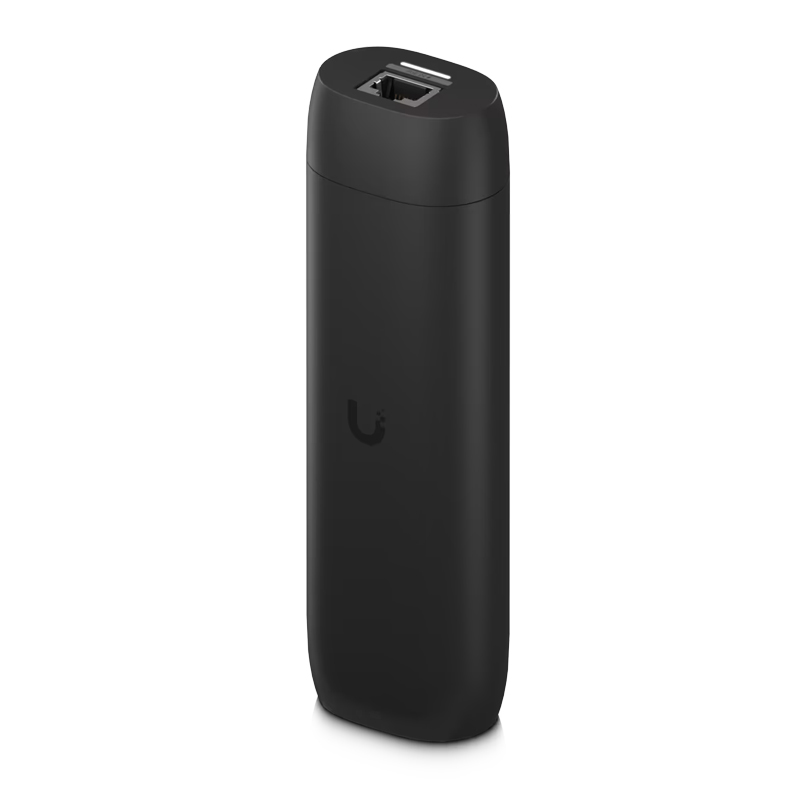
The Ubiquiti UniFi Protect Viewport allows you to view your UniFi Protect camera feeds on a 4K HDMI display. It uses Power over Ethernet and connects to the local network hosting your cameras and connects via HDMI to a display. The UniFi Protect ViewPort offers 4K video output at 30 frames per second. Protect systems can be viewed in custom high-density camera matrix configurations.
Features
- HDMI Port - Integrated 4K, 30 FPS HDMI output enables direct connection to a display for live monitoring of up to 16 cameras
- GbE PoE-In RJ45 Port - Integrated Gigabit PoE-In port powers the device while providing network connectivity through a single cable. Enables clean, simplified installations without the need for a separate power adapter
- Wall and TV Mountable - Designed for flexible installation behind displays or directly on walls
| Details | |
|---|---|
| Manufacturer's Code | UP-Viewport |
| Dimensions | 157 x 52 x 37 mm |
| Weight | Without mount: 230 g, With TV mount: 252 g |
| Enclosure Material | Polycarbonate |
| Mount Material | Polycarbonate |
| Networking Interface | (1) GbE RJ45 port |
| Power Method | PoE |
| Max. Power Consumption | 9.5W |
| ESD/EMP Protection | Air: ± 8kV, contact: ± 4kV |
| Buttons | (1) Factory reset |
| Ambient Operating Temperature | 0 to 40° C |
| Ambient Operating Humidity | 20 to 80% noncondensing |
| NDAA Compliant | Yes |
| Certifications | FCC, IC, CE, Anatel: 06681-25-08356 |
| Web Application | UniFi Protect |
| Mobile App | UniFi Protect iOS™ and Android™ |
| Details | |
|---|---|
| Power Supply | Sold Separately |
| Mounting | Wall bracket and Mounting Kit |
| Cabling | HDMI Cable |
Bluetooth
RJ45
PoE (non standard)
Related Products